
Macros and variations
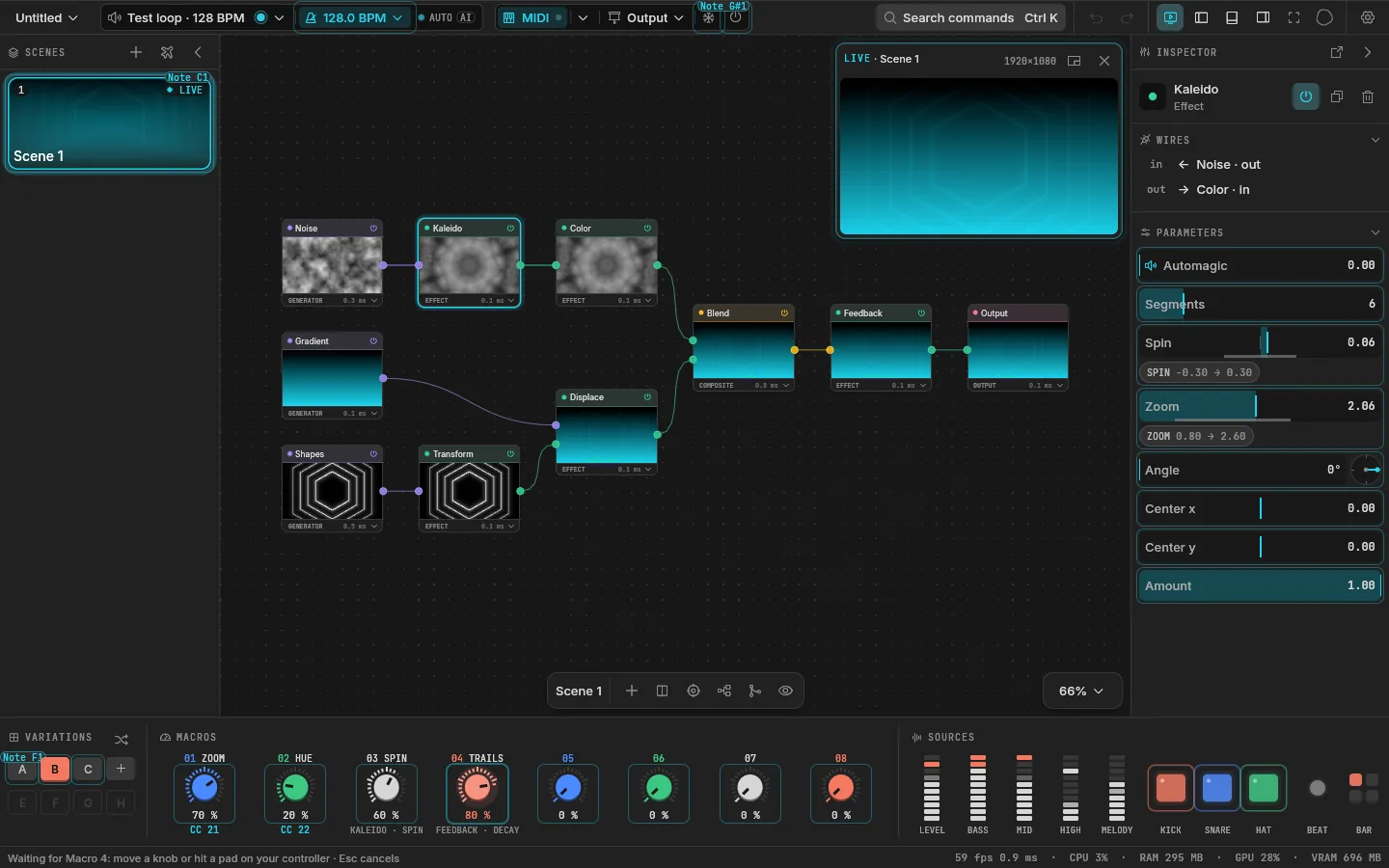
Every scene has eight macros: knobs that each drive any number of values at once, each through its own range. Map your controller's knobs to the eight macros once, and every scene decides what its macros do. The same controller layout then works across the whole show.
The deck along the bottom (Ctrl J shows or hides it) holds them for the selected scene: the variations on the left, the eight macros across the middle, the sources on the right.
Give a macro something to drive
- Right-click any value in the inspector and choose Assign to macro, then the macro.
- Or click a macro that drives nothing yet, then touch any value in the inspector: the macro drives it now.
The value's range starts from where it was up to its maximum. A value is driven by one macro at a time: assigning it to another moves it there.
While a macro drives a value, the value's slider shows where the macro has it, with a badge like M3, and its range as a muted band. Click the badge to set the range's two ends; an end can be higher than the other, so the macro turns the value down. Dragging the slider turns the macro itself, so the macro stays the one in charge. Mappings still add on top: a macro can set where a value sits and the kick can punch it from there.
Right-click a macro to rename it ("Energy", "Hue", "Zoom") or to learn a controller knob for it.
Variations
A variation is a snapshot of where the scene's eight macros are. "Build" and "Drop" can be two variations of one scene: the same nodes, the macros somewhere else.
| To | Do |
|---|---|
| Store where the macros are now | Click + under VARIATIONS. Up to eight: A to H |
| Go back to a variation | Click it |
| Glide there over a bar | Shift and click it |
| Recall, morph, learn MIDI or remove | Right-click it |
| Throw the macros somewhere new | Click the dice in the VARIATIONS title, again for another |
A morph moves the eight values smoothly to the variation over a bar of the tempo. Turn a macro during the morph and that macro leaves it; the others go on. The dice only moves the macros that drive something.
With a controller
Macros and variations learned to a controller drive the live scene, the one on the outputs, whatever you have selected on the canvas.
When a scene launches, its macros jump to where that scene keeps them, and your hardware knobs are probably somewhere else. So a macro knob waits: it takes over only once you turn it to where the macro is (soft takeover). No jumps on stage. See MIDI and OSC.